Set up your business profile
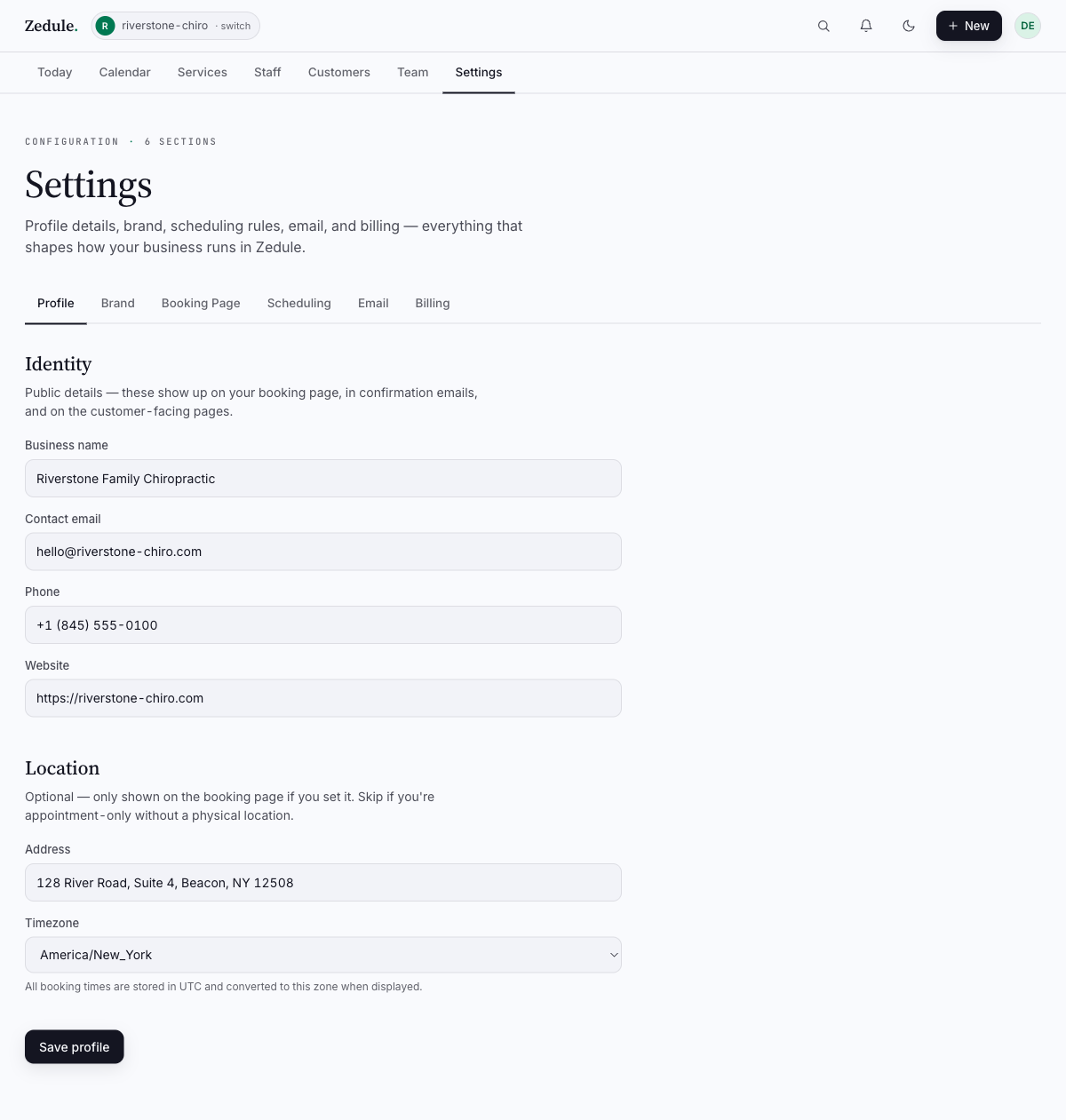
Your business profile is what customers see on the booking page — name, address, phone, contact email, time zone, and currency. Spend two minutes here and the rest of Zedule becomes accurate.
Settings → Profile is the first place to go after signing up. Everything from email confirmations to the booking-page header to time zone math depends on what you put here.

What goes on the profile
Open Settings in the top nav, then the Profile tab. The fields:
| Field | What it controls |
|---|---|
| Business name | Page title on the booking page; “From” name on emails |
| Slug | The URL — book.zedule.app/<your-slug> |
| Address | Shown on the booking page and in confirmation emails |
| Phone | Click-to-call link on the booking page footer |
| Contact email | Reply-to on customer confirmations |
| Time zone | All appointment times are stored in UTC and rendered in this zone |
| Currency | Service prices on the booking page and invoices |
Pick the right time zone
The time zone field is the one mistake we see most often — owners pick “America/New York” when they’re actually in Eastern Time with daylight saving. The IANA names look intimidating but they’re correct: pick the city closest to where your business operates. America/New_York, America/Los_Angeles, Europe/London, Asia/Singapore.
If you change the time zone after appointments exist, Zedule will not re-shift those appointments — they’ll display at their original UTC instant, which means a 9 AM appointment in EST will display as 6 AM if you switch to PST. Fix the time zone before you take real bookings.
Slug rules
Your slug is the path under book.zedule.app/. Customers see it; it shows up in confirmation emails; it’s hard to change once you’ve shared the URL. Pick something short and obvious:
- ✅
riverstone-chiro,studio-arc,valeo-spa - ❌
business-id-12345,my-business,test
Slugs must be lowercase, alphanumeric plus hyphens, between 3 and 64 characters. They’re globally unique across Zedule — first come, first served.
You can change your slug in Settings → Profile, but old links won’t redirect — anyone who shared the old URL will land on a 404. If you change the slug, plan a small re-share.
Save and verify
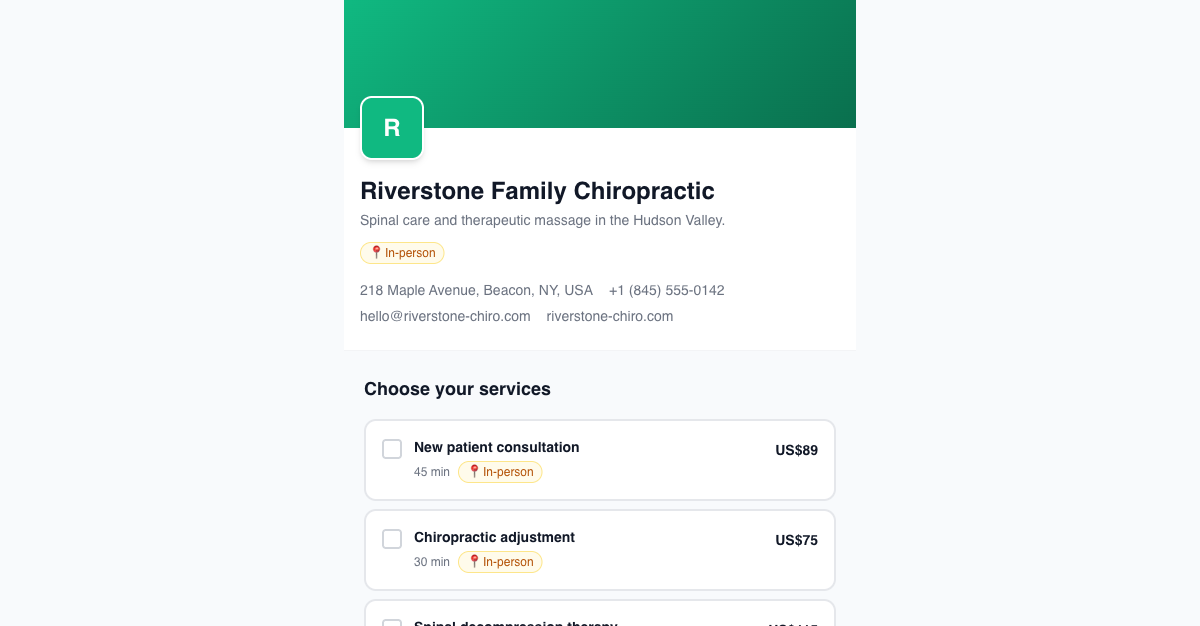
Click Save Profile. Then visit book.zedule.app/<your-slug> in a private window — the address, phone, and business name should match what you typed.
Next
→ Add your first service — name, duration, price.